Fewer sheets.
Less waste.
CutWise turns your cut list into an optimized cutting layout — kerf-aware, grain-safe, and 100% offline. Stop guessing at the lumber yard.
Free to use · Pro unlock is a one-time $4.99 — no subscription, ever
Built for the workshop, not the whiteboard
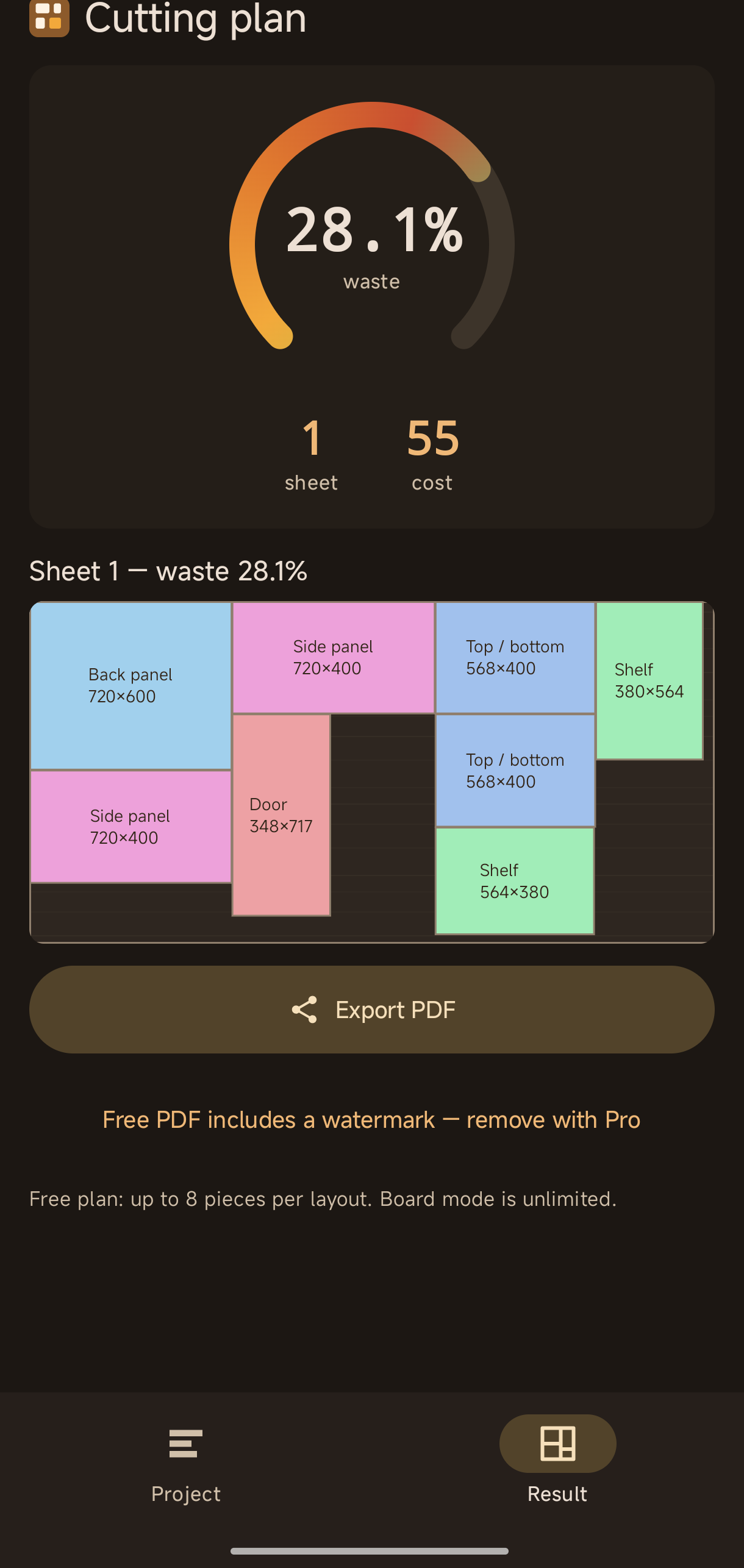
Every layout CutWise produces is one you can actually cut — edge-to-edge guillotine cuts, exactly what a table saw or panel saw does.
Kerf-aware
Reserves the material your saw blade eats on every cut, so plans work in the real world, not just on paper.
Grain direction
Lock rotation for doors, panels and visible faces where grain matters.
Fractional inches
Type 1 3/8 or 3/4 the way you actually measure. Metric fully supported too.
Boards & pipes
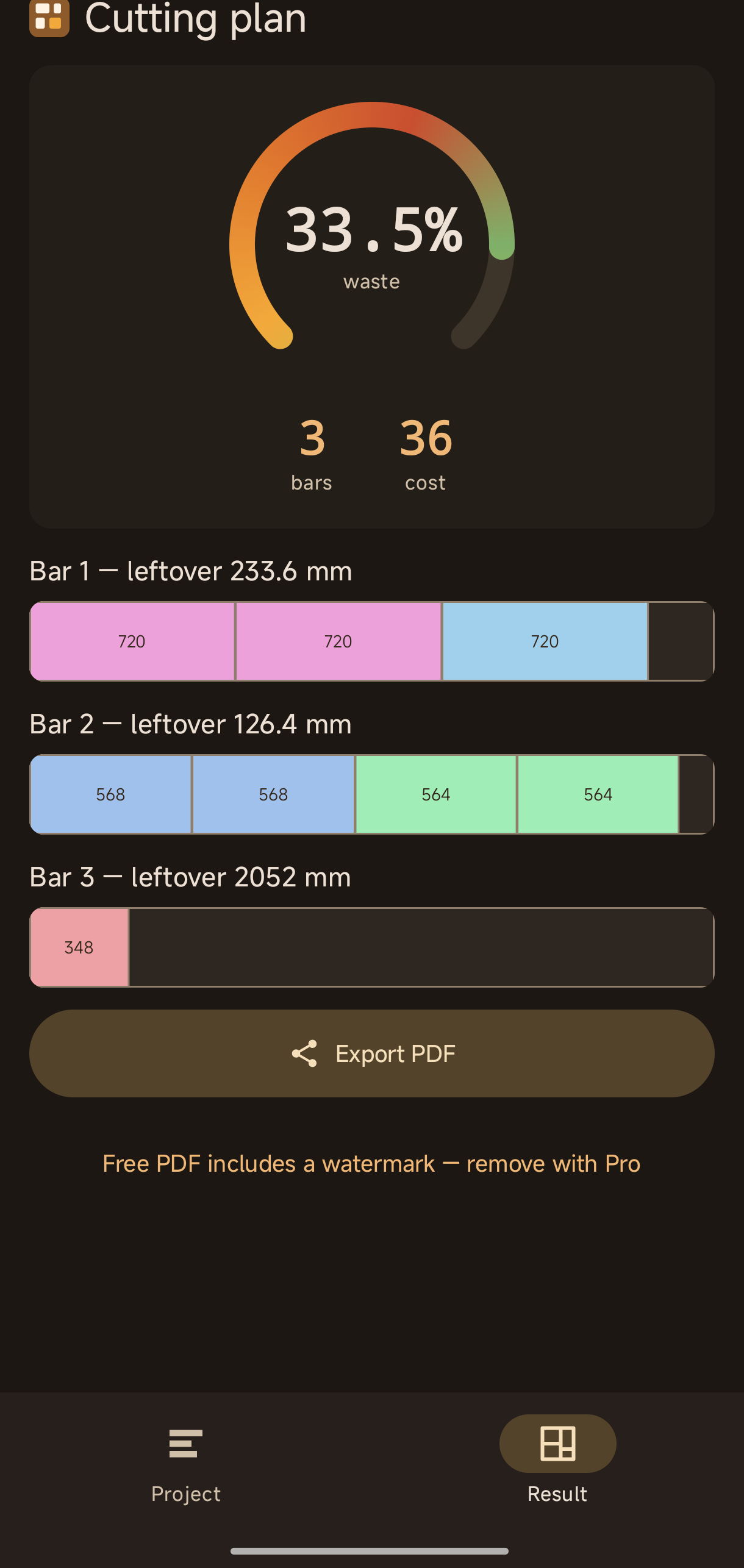
1D bar mode optimizes lumber, pipes and extrusions — free and unlimited.
PDF export
Share the cutting plan to WhatsApp, print it, or take it to the lumber yard.
Works offline
No account, no sign-up. The optimizer needs no internet — your projects stay on your device.
Three taps to a cutting plan
No CAD skills required. If you can write a shopping list, you can use CutWise.
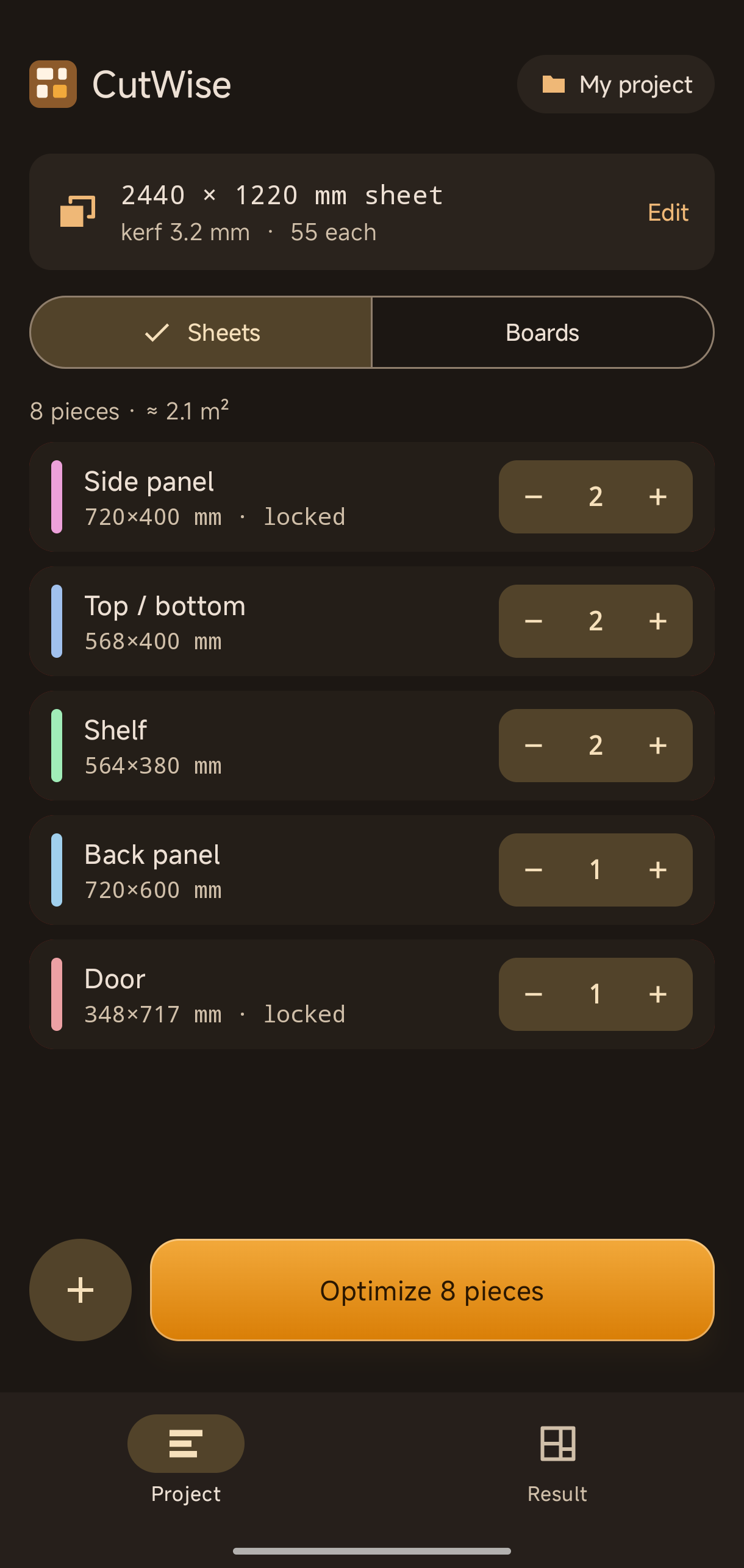
List your pieces
Name, length × width, quantity. Lock the grain where it matters.
Set your stock
Sheet or bar size, blade kerf, price — mm or inches.
Tap Optimize
Watch the layout assemble itself. Waste %, sheet count and cost, instantly.
See it in action
Pro, the honest way
The free plan is fully accurate with up to 8 pieces per layout. One small purchase unlocks everything — forever.
- ✓Unlimited pieces per project
- ✓Watermark-free PDF export
- ✓Completely ad-free
- ✓One-time payment. No subscription. Ever.
One sheet of quality plywood costs more. Save a single sheet and it has paid for itself many times over.
Questions
Does it work without internet?
Yes — the optimizer runs entirely on your device and nothing is ever uploaded. The free version shows a small banner ad when you happen to be online; Pro removes ads completely.
What cutting method does it assume?
Guillotine (through) cuts — every cut runs edge to edge, matching table saws, panel saws and circular saws with a guide. That's why the layouts are actually cuttable.
Can I use feet and inches?
Yes. Switch to inches and type fractions like 1 3/8 or 3/4 directly. Metric (mm) is the default.
iPhone / desktop version?
CutWise is built on a shared multiplatform core — desktop and iOS versions are on the roadmap. Android ships first.
Ready to waste less wood?